

Quick reference
Integrations catalog
Path: Settings → Workspace → Integrations (/settings/workspace/integrations)
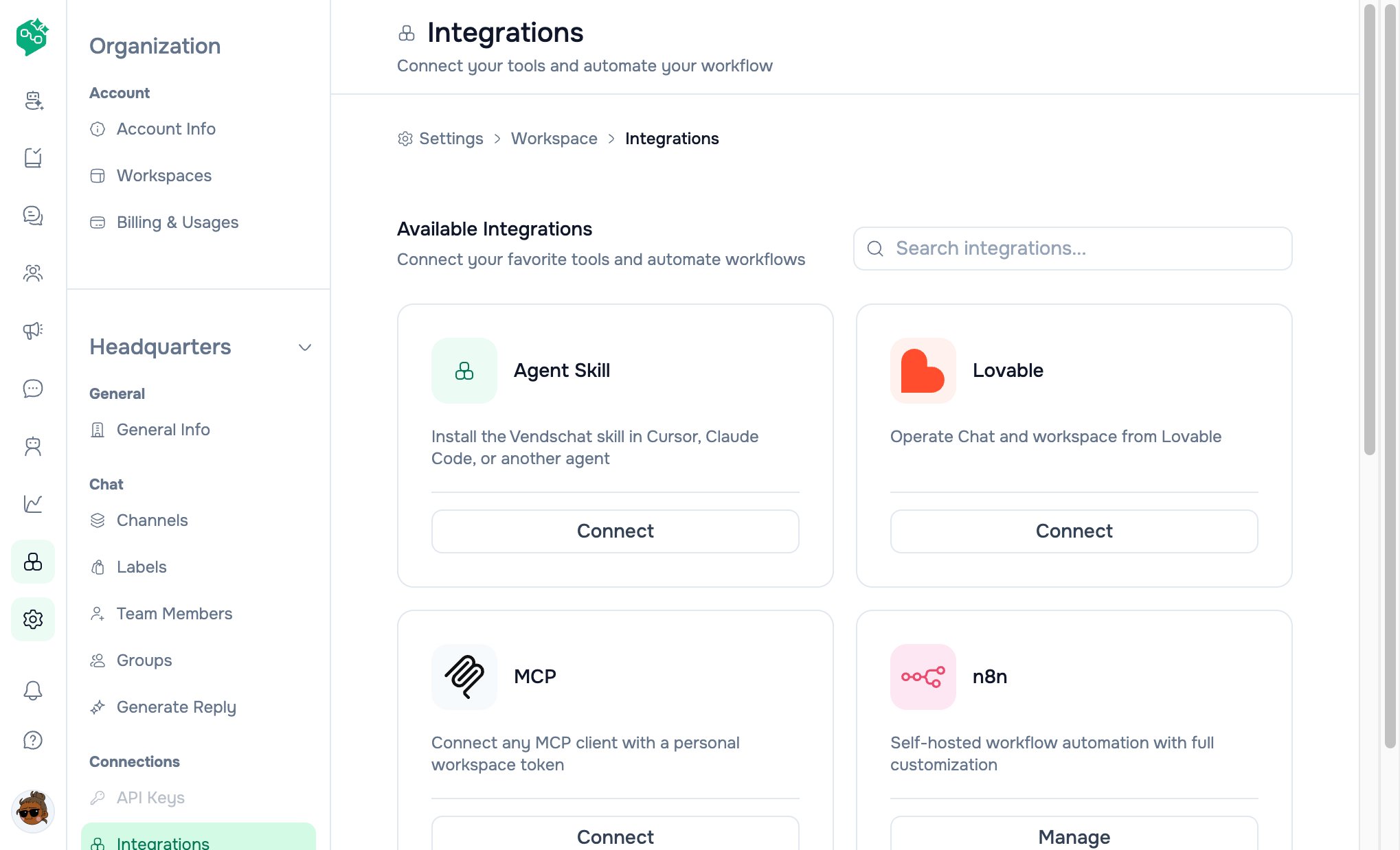
Integrations catalog
n8n

Zapier

Make

Descriptions in app:
- n8n: Self-hosted workflow automation with full customization
- Zapier: Automate workflows with 5,000+ app integrations
- Make: Visual automation platform with drag-and-drop workflows
Common architecture
- Subscribe to events in Settings → Webhooks
- Paste Make / Zapier / n8n webhook URL as destination
- Build scenario/zap/workflow on the other side
- Set destination source to
make,zapier, orn8nwhen creating (optional, for support clarity)
Make
Best for: Complex branching, data stores, EU webhook URLs (hook.eu1.make.com).
Setup:
- Make → new scenario → Webhooks → Custom webhook
- Copy URL
- Vendschat → Webhooks → Add destination → paste URL
- Select events (start with
incoming.vendschat.messages) - Run scenario once to register structure; send test message from Chat
Zapier
Best for: Quick zaps to popular SaaS (Slack, Gmail, Airtable). Setup:- Zapier → Webhooks by Zapier → Catch Hook
- Copy webhook URL
- Vendschat → Webhooks → Add destination
- Pick events → test with real inbound message
n8n — two modes
Mode A: External / self-hosted n8n (Growth+)
Use your own n8n cloud or self-hosted instance:- n8n workflow → Webhook node (POST)
- Copy production URL
- Vendschat Webhooks → add destination
- Build nodes: HTTP Request back to Vendschat API if needed (Advanced for API)
Mode B: Hosted n8n on Vendschat (Advanced)
Path: Sidebar → n8n (/n8n)
Hero: “Start automating with n8n” — deploy a dedicated instance.
Instance Details form:
Free tier (sidebar on page):
Advanced managed specs (billing): 4 vCPU · 8 GB RAM · 75 GB NVMe · auto backup · upgradable from dashboard.
Terms: Creating instance agrees to n8n Terms of Service (shown below button).