

/settings/workspace/integrations) for Agent Skill, Lovable, MCP, Zapier, Make, n8n, HubSpot. Webhooks, API keys, and REST API stay under Settings → Workspace.
Quick reference
*HubSpot listed on all tiers in pricing matrix — confirm current plan in Billing & Usage.
Navigation map
Example: RidgeRunner Outdoor
RidgeRunner uses Shopify, Slack, and HubSpot.
Their developer extends the inbox — they don’t rebuild it.
Integration catalog page
Path: Settings → Workspace → Integrations (/settings/workspace/integrations)
Title: Integrations — “Connect your tools and automate your workflow”
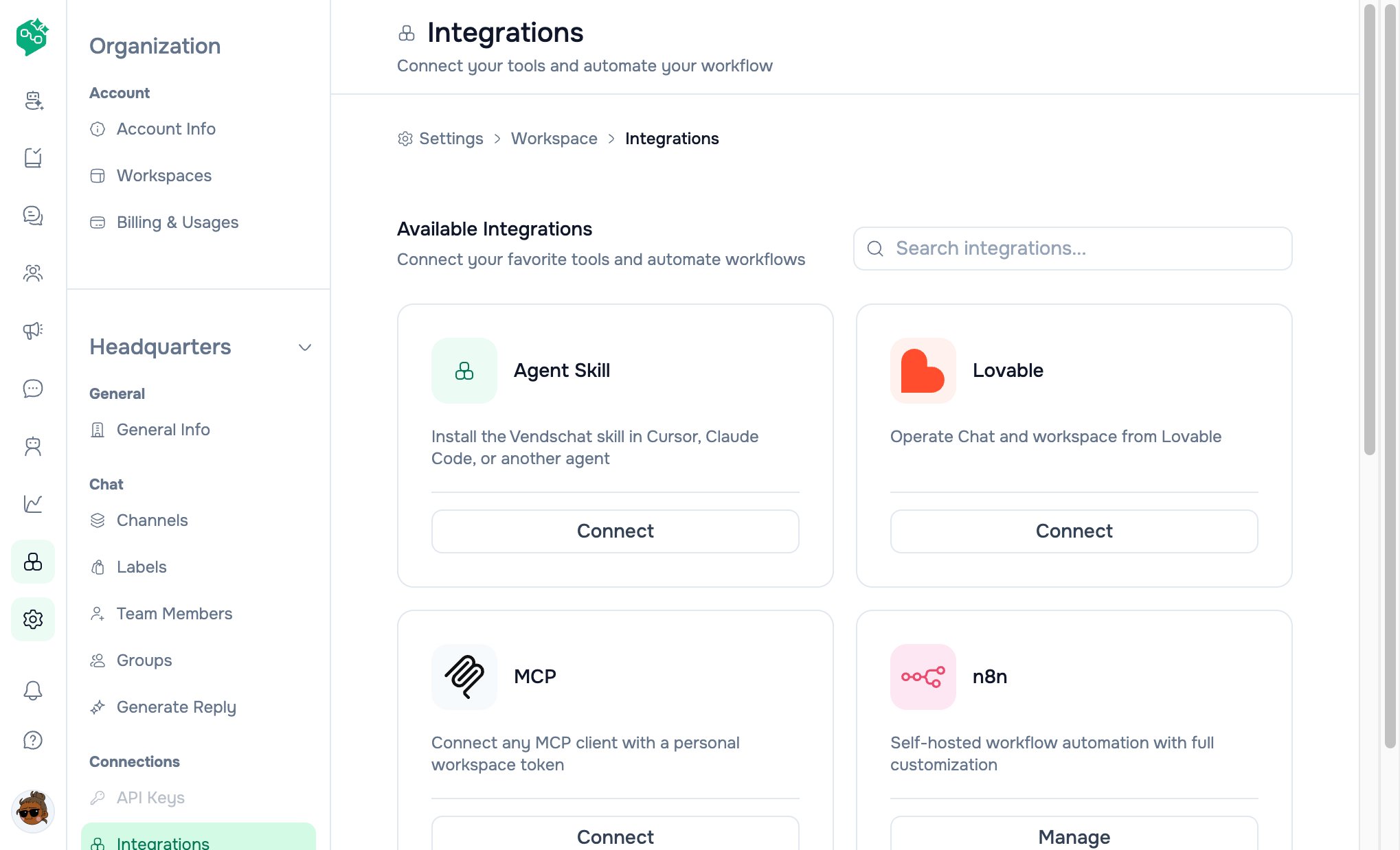
Integrations catalog
Agent Skill

Lovable

MCP

n8n

Zapier

Make

HubSpot

Cards on the catalog
Search: “Search integrations…” field at top of catalog.
Note: Catalog cards show connection status and counts. Some Connect / Manage actions may route to dedicated setup flows as each integration is fully wired in the product.
How integrations relate to Chat
Integrations do not replace Chat — they extend what happens when messages arrive or get sent.
Plan requirements (summary)
From billing — pricing reference:
Upgrade path: Settings → Organization → Billing & Usage → Plans (owner only).
Starter teams often use Chat + HubSpot manually; move to Growth before webhooks/Zapier campaigns; choose Advanced when engineering needs API access or hosted n8n.
Webhooks (real-time events)
When something happens in Vendschat, notify your HTTPS endpoint. Path: Settings → Workspace → Webhooks (/settings/workspace/webhooks)
UI sections:
- Event destinations — table of webhook URLs
- Add destination · Import
- Per row: Destination URL, Name, Active / Disabled, event count, Edit / Enable / Disable / Delete
- Filter by Channel · Search
HubSpot CRM
OAuth connect, contact sync, field mapping. Backend flow: Authorize → HubSpot callback → initial contact sync job. Deep dive: HubSpot integrationAPI Keys & REST API
API Keys: Settings → Workspace → API Keys — create named keys, optional expiry, revoke/delete. REST API docs in app: Settings → Workspace → REST API- Base URL shown:
https://api.vendschat.com/v1 - Auth:
Authorization: Bearer YOUR_API_KEY - Sections: Authentication, Messages, Users, Channels, Webhooks
- Rate limit note: 1000 requests/hour per key
n8n automation
Two ways to use n8n with Vendschat:
n8n page (
/n8n) — “Start automating with n8n”
Free tier highlights (in UI): 20 active workflows · 1,000 executions/month · 200+ nodes · community support.
Deep dive: n8n, Zapier & Make
Security habits
- Rotate webhook signing secrets when staff leave
- Subscribe only to events you actually process
- Use HTTPS endpoints for webhooks in production
- Store API keys in secrets managers — never in Chat with customers
- Test with staging URLs before production
- Revoke unused API keys promptly
Co-Admin & live data
Co-Admin uses the user’s current workspace session.
Growth path
Related docs
- Webhooks guide
- HubSpot integration
- API keys & REST API
- n8n, Zapier & Make
- Integrations FAQ
- Billing — plans
- Onboarding Step 3