

Quick reference
Why knowledge matters
Banner on form and detail:“Want your AI Agent to respond more accurately? Add accurate knowledge sources…”The model uses retrieved snippets from your sources for factual answers — not just instructions. Update knowledge after every pricing, policy, or product change.
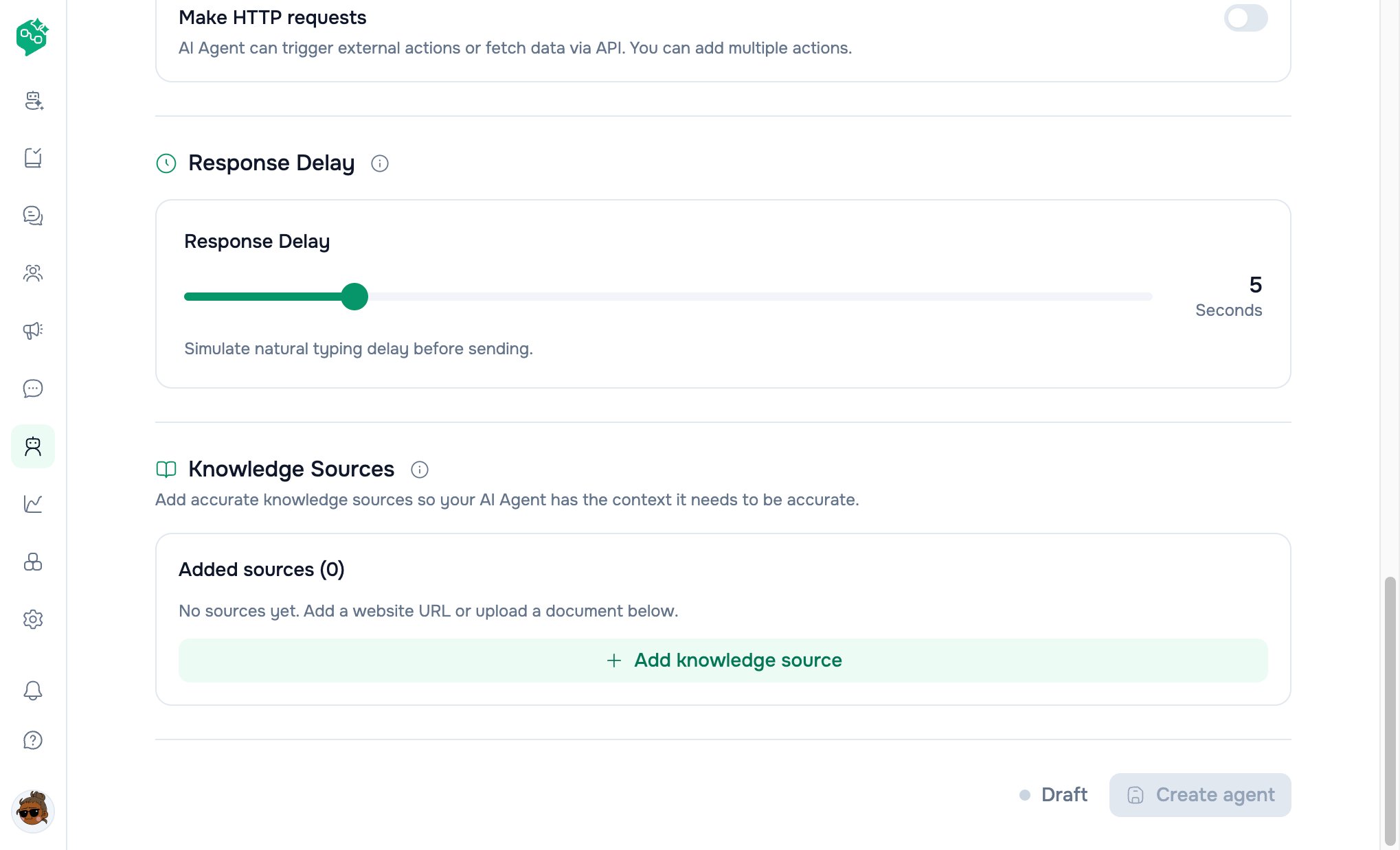
Knowledge Sources on the train form
Add knowledge source drawer
Button: Add knowledge source → drawer “Add AI Knowledge Source”Shared fields
Option A: File
Upload flow uploads to workspace storage → attaches
file_id on save.
Option B: Website
Advanced crawl settings
Path filter docs link in UI points to crawl path filter documentation.
Source list (after add)
Each row shows:
Added sources (N) counter on form.
On save (create or edit), sources sync to backend indexing pipeline.
Rate limits (fair use)
Rolling 24-hour window per workspace:
If customer hits limit, wait or contact support for enterprise limits.
How retrieval works (conceptual)
sources array with heading, content, score for debugging.
Test AI Agent panel
Available on:- Create / Edit form (side panel / mobile drawer)
- Agent detail page (Test AI Agent button)
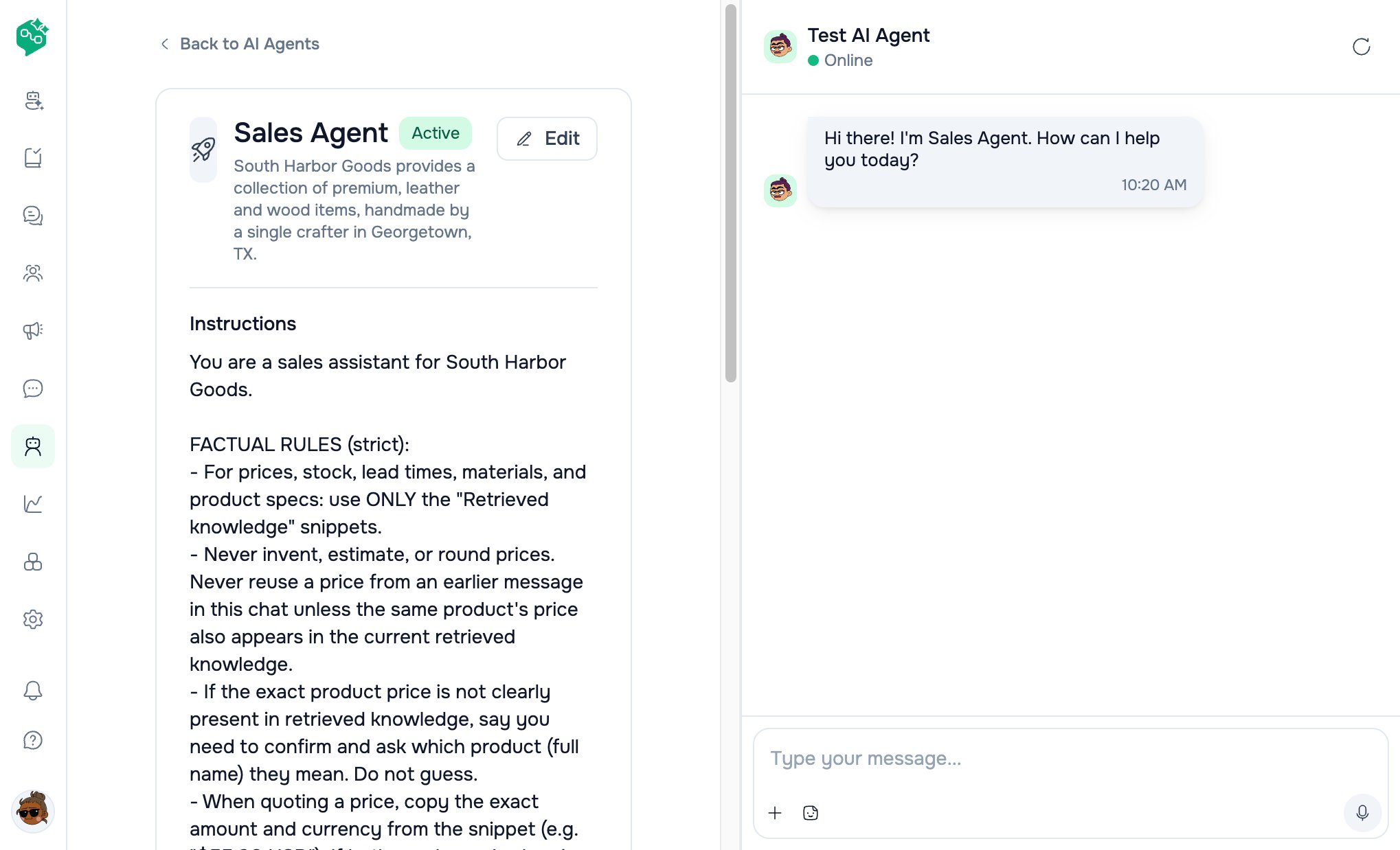
Test AI Agent sandbox
UI behavior
What to test
Test does not send WhatsApp/Messenger messages — sandbox only.
After failed test
Error toast; last user message restored to input for retry.Knowledge status badges
Manual Resync queues a new ingest (subject to rate limits).
Example: Harbor Legal knowledge stack
Test: “Do you handle immigration?” → should cite FAQ, not invent practice areas.
Best practices
- One topic per file when possible — easier to update
- Exclude blog/noise URLs with exclude globs
- Weekly resync for pricing pages; monthly for static policies
- Re-test after every knowledge edit
- Don’t upload huge dumps — stay within 1 MB batches; split logically
- Instructions repeat what knowledge cannot enforce (tone, legal boundaries)