

Quick reference
Example: StyleHouse Returns
Return season is brutal. Agent Mina stays professional using tones:
She reads every draft, edits one sentence, sends — still her voice, faster.
Message composer anatomy
Location: Bottom of conversation column when a thread is open.24-hour messaging window (WhatsApp & Meta)
When the customer hasn’t messaged recently, Meta closes the session window: Banner in composer:The 24-hour messaging window has expired. You can only send template messages until the recipient replies to reopen the conversation window.
Action: Click Templates → pick approved template → send.
Customer reply reopens the window for free-form messages.
Details: WhatsApp channels.
Channel selector in composer
When a contact has threads on multiple channels (e.g. WhatsApp + Instagram):- Channel dropdown in composer shows each option with icon
- Preferred channel pre-selects where customer last messaged inbound
- Realtime inbound on another channel switches preference automatically
Generate Reply — how to use
Step by step
- Open Chat → select thread
- Optionally type a rough draft (or leave empty)
- Click Generate Reply (sparkle icon) in composer toolbar
- AI drafts from last ~30 messages of context
- Review text — edit as needed
- Optional: apply a tone from dropdown
- Click Send when satisfied
Undo / redo
After generation, undo and redo restore prior composer text versions.Built-in tones
Available from composer tone menu (configured in Settings):Custom AI prompts
Settings → Workspace → Generate Reply (/settings/workspace/generate-reply)
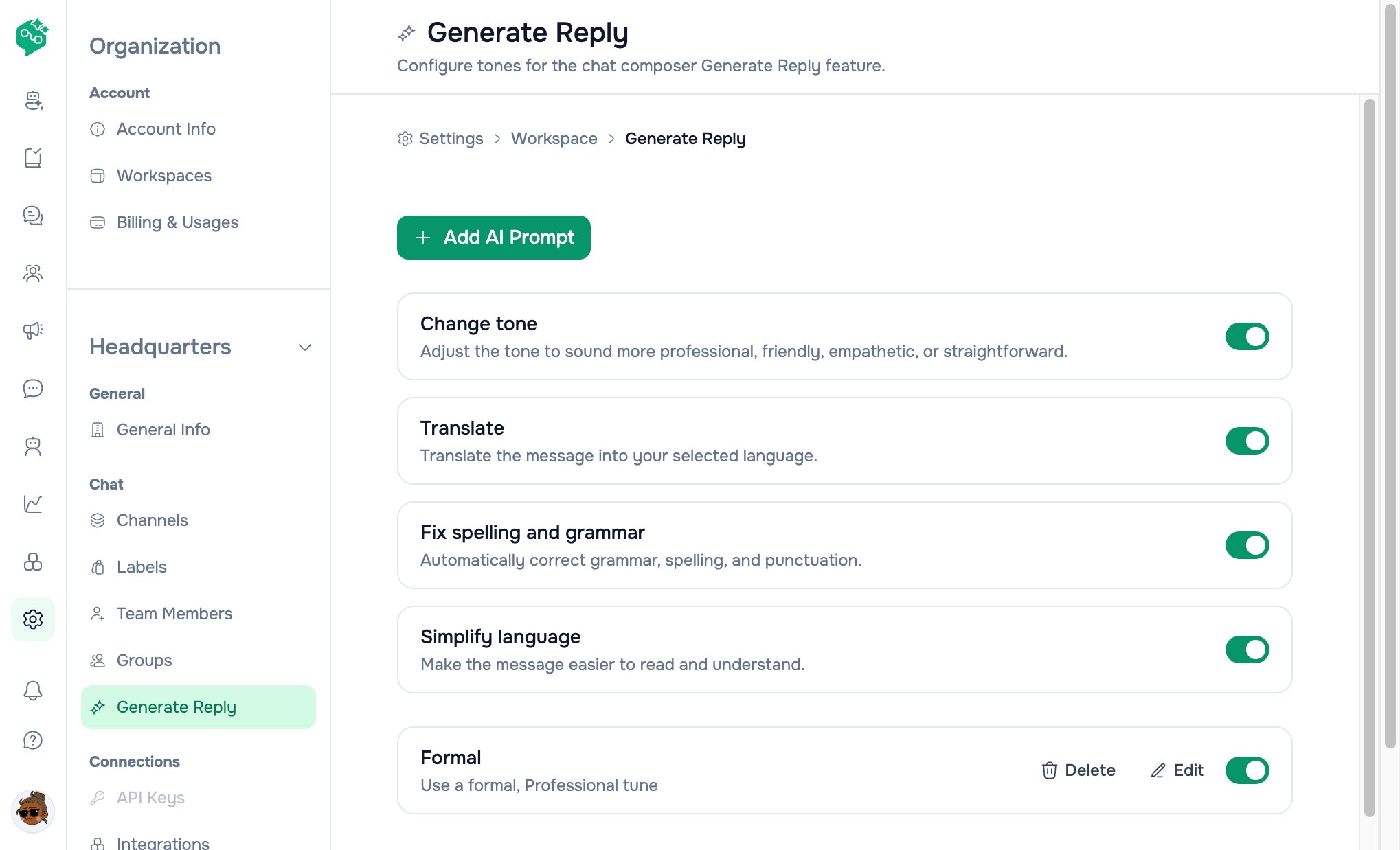
Generate Reply tones
Generate Reply vs AI Agents vs Co-Admin
Rule of thumb: Generate Reply = speed with human approval. AI Agents = automation. Co-Admin = how do I use Vendschat?
Templates from composer
Templates button appears when selected channel is WhatsApp and can send. Opens template modal:- Pick template
- Fill variables
- Send or schedule
WhatsApp registration errors
If send fails due to Meta phone registration, a WhatsApp registration modal may appear with PIN entry and retry — follow on-screen steps or reconnect channel in Settings → Channels.Best practices
- Always review before send — especially refunds and legal topics
- Create 3–5 custom tones max — too many slows agents
- Train new hires on which tone for escalations
- Don’t use Generate Reply as substitute for policy training
- Don’t enable AI Agents on day one if team isn’t comfortable with manual Chat yet
Starter rollout — BookNest
BookNest bookstore — 2 agents, no bot yet.
Gradual rollout beats enabling every automation at once.